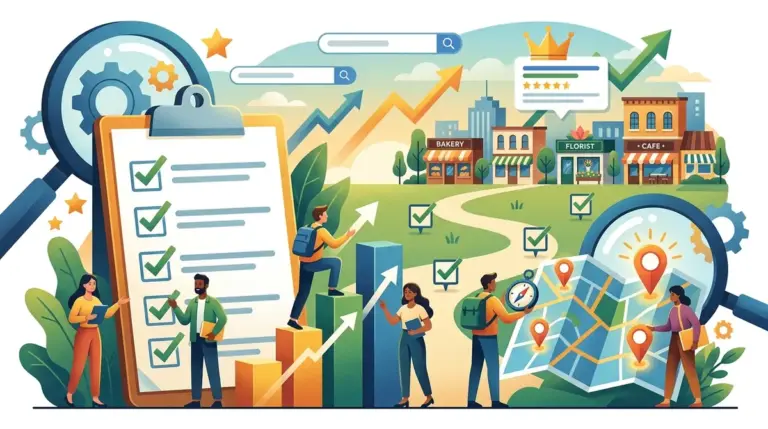
Google Maps rankings, often referred to as the Local Pack or Map Pack, drive the majority of high-intent traffic for businesses with a physical presence. Unlike traditional organic search, which prioritizes domain authority and content depth, the Google Maps algorithm functions on a distinct triad: proximity, relevance, and prominence. To secure a spot in the top three results, a business must satisfy all three pillars through a combination of technical profile optimization and localized off-page signals.
The Foundation of Relevance: Google Business Profile Optimization
Your Google Business Profile (GBP) is the primary data source for the Maps algorithm. If the information here is incomplete or inaccurate, Google cannot confidently match your business to specific user queries. Relevance is determined by how well your business profile matches the intent behind a search term. Understanding how Google Business Profile impacts local rankings is key, as it's the primary data source for the Maps algorithm.
Primary Category Selection: This is the single most influential field in your profile. Choosing a broad category like "Consultant" when "Tax Consultant" is available dilutes your relevance. Google allows one primary category and up to nine secondary categories. Use the primary slot for your core revenue driver and secondary slots for supporting services.
Business Description and Attributes: While the description field does not directly impact rankings for specific keywords, it influences click-through rates (CTR). Use the 750-character space to include service-related keywords naturally. More importantly, select specific attributes—such as "Wheelchair accessible," "Free Wi-Fi," or "Women-led"—which allow your business to appear in filtered searches.
High-Resolution Visuals and Engagement
Profiles with high-quality photos receive 42% more requests for directions than those without. Google uses image recognition AI to verify that your business actually provides the services you claim. Uploading interior, exterior, and product photos helps Google categorize your business more accurately. Aim for at least 20 high-resolution images, and update them monthly to signal that the business is active.
The Proximity Factor and Service Area Settings
Proximity is the most rigid ranking factor. Google prioritizes businesses closest to the user's physical location at the time of search. While you cannot change your physical address, you can optimize how Google perceives your service area.
For businesses that visit customers (like plumbers or cleaners), defining a Service Area Business (SAB) profile is necessary. However, setting a radius that is too large—such as an entire state—can actually hurt your rankings. Google prefers specific zip codes or city names. Limit your service area to the regions where you can realistically provide service within a two-hour drive to maintain a high relevance score for those local clusters.
Warning: Never use a P.O. Box or a virtual office address for your Google Business Profile. Google’s verification systems frequently flag these as fraudulent, leading to immediate profile suspension. You must use a physical location where you can receive mail and meet customers, or register as a Service Area Business using your home address (which will remain hidden from the public).
Building Prominence Through Reviews and Citations
Prominence reflects how well-known a business is in the offline world and across the digital landscape. Google looks at your review profile, local citations, and brand mentions to determine your authority.
Review Velocity and Sentiment: A high volume of five-star reviews is beneficial, but "review velocity"—the frequency at which you receive new reviews—is a stronger ranking signal. A business that received 50 reviews three years ago and none since will be outranked by a business receiving three reviews per week.
Best for: Improving ranking for competitive "near me" keywords. Encourage customers to mention specific services or products in their reviews, as Google parses this text to understand your business better.
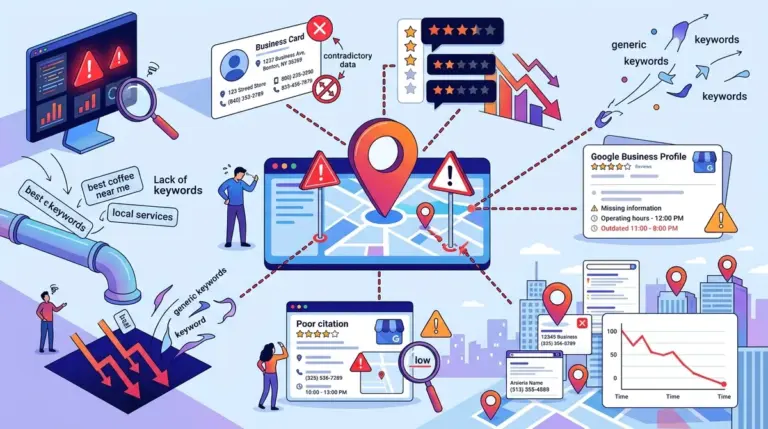
NAP Consistency Across Citations: Your Name, Address, and Phone number (NAP) must be identical across the web. Discrepancies between your website, Yelp, Facebook, and local chamber of commerce listings create "data noise," which reduces Google’s confidence in your location data. Focus on these core directories first:
- Data aggregators (Data Axle, Foursquare, Neustar Localeze)
- Industry-specific directories (Avvo for lawyers, TripAdvisor for hospitality)
- Local community sites (Chamber of Commerce, local news directories)
- Social media platforms (Facebook, Bing Places, Apple Maps)
On-Page SEO for Local Authority
Your website’s organic performance directly influences your Maps ranking. If your website is poorly optimized, your GBP will struggle to rank for competitive terms. The most effective way to bridge this gap is through localized on-page content and technical markup.
LocalBusiness Schema Markup
Implementing JSON-LD Schema markup tells search engines exactly what your business does and where it is located in a machine-readable format. Use the LocalBusiness or more specific types like Dentist or AutomotiveBusiness. Ensure the NAP data in your schema matches your GBP exactly. This technical signal reinforces your prominence and proximity data.
Location-Specific Landing Pages
If your business has multiple locations, create a dedicated landing page for each one. Do not simply list all addresses on a single "Contact Us" page. Each location page should include:
- An embedded Google Map of the specific location.
- Local staff bios or site-specific photos.
- Unique descriptions of services offered at that branch.
- Testimonials from customers in that specific neighborhood.
Executing a Local Backlink Strategy
General guest posting on high-authority tech blogs does little for Google Maps rankings. You need "local juice." This comes from websites that are geographically relevant to your business, even if they have lower overall domain authority. Search for local sponsorship opportunities, such as youth sports teams, local charity events, or neighborhood blogs. A link from a local high school or a city-specific news outlet carries more weight in the local algorithm than a link from a generic national site.
Monitoring and Maintaining Your Maps Position
Ranking in the Local Pack is not a one-time task. Google frequently updates its algorithm and allows users to "suggest edits" to your profile, which can change your categories or hours without your direct consent. Review your GBP dashboard weekly to reject incorrect user edits and to post "Google Updates"—short posts that function like social media updates—to keep your profile fresh and engaging.
Actionable Next Steps:
- Audit your primary and secondary categories for maximum specificity.
- Standardize your NAP data across the top 10 local directories.
- Implement LocalBusiness Schema on your homepage or location pages.
- Set up an automated system to request reviews from customers within 24 hours of service.
Frequently Asked Questions
How long does it take to rank in Google Maps?
For low-competition niches, optimizations can show results in 2 to 4 weeks. In highly competitive markets (like legal or real estate), it often takes 3 to 6 months of consistent review generation and local link building to break into the top three.
Does responding to reviews help rankings?
Yes. Google has officially stated that responding to reviews improves your local SEO. It demonstrates that the business is active and values customer feedback, which contributes to the prominence score.
Can I rank in the Map Pack if I don't have a physical office?
Yes, but only if you register as a Service Area Business. You will provide your home address for verification, but you must select the option to hide your address from the public. You will then rank based on the service areas you define, though proximity is calculated from your registered home base.
Why did my Maps ranking suddenly drop?
The most common reasons are a "suggested edit" from a competitor that changed your category, a sudden influx of filtered (spam) reviews, or a Google algorithm update targeting proximity (like the "Vicinity" update). Check your GBP dashboard for notifications and verify your NAP consistency.