Crawlability is the fundamental prerequisite for organic search visibility. Before a page can rank, or even be indexed, a search engine bot must be able to discover the URL, access the server, and navigate the content without hitting technical roadblocks. If your site architecture prevents Googlebot from reaching a specific directory, that content effectively does not exist in the eyes of the search engine, regardless of how well-written or optimized the copy may be. This means that before a page can be indexed, a search engine bot must first be able to discover and access it.
For SEO professionals and site owners, crawlability is a matter of resource management. Search engines do not have infinite resources to spend on a single domain; they operate on a "crawl budget." When a site is difficult to navigate or riddled with technical errors, bots waste time on low-value pages or get stuck in loops, leaving high-priority revenue-generating pages undiscovered. Improving crawlability ensures that search engine spiders spend their limited time on the pages that actually drive business value.
The Structural Pillars of Crawlability
A crawlable website is built on a logical, hierarchical structure. Search engine bots typically start at the homepage and follow internal links to deeper pages. If a page is "orphaned"—meaning it has no internal links pointing to it—a bot will likely never find it unless it is manually submitted via a sitemap or linked from an external domain.
Internal Linking and Site Depth
Flat site architectures are generally superior for crawlability. A flat structure ensures that any given page is accessible within three to four clicks from the homepage. When a site is too deep, bots may stop crawling before reaching the most distant pages. This is particularly problematic for large e-commerce sites with thousands of product variations. Using breadcrumbs and category-level internal linking helps maintain a clear path for bots to follow.
The Role of Sitemaps
An XML sitemap acts as a roadmap for search engines. It lists every URL you want indexed, providing metadata such as the last time the page was updated. While a sitemap does not guarantee crawling, it serves as a critical discovery tool, especially for new sites or those with large archives that are not frequently linked to from the main navigation.
Technical Barriers to Search Engine Bots
Even a well-structured site can suffer from crawlability issues if the technical configuration is flawed. These barriers often reside in the server settings or the root directory files, making them invisible to the average user but a hard stop for automated crawlers. Even a well-structured site can suffer from crawlability issues if the technical configuration is flawed, which is why a comprehensive technical SEO checklist is vital.
Robots.txt Misconfigurations
The robots.txt file is the first place a bot looks when it hits your server. It provides instructions on which areas of the site are off-limits. A single misplaced "Disallow: /" command can de-index an entire website by telling bots not to crawl any page on the domain. Regularly auditing this file is necessary to ensure that critical CSS and JavaScript files are not blocked, as modern search engines need these to render the page correctly and understand the user experience.
Server Errors and Redirect Chains
When a bot requests a page and receives a 4xx (Client Error) or 5xx (Server Error) status code, it signals that the page is unavailable. Frequent 5xx errors suggest server instability, which can lead search engines to reduce the frequency of their visits to avoid crashing the site. Similarly, redirect chains—where URL A points to URL B, which points to URL C—force the bot to make multiple requests for a single piece of content. This drains the crawl budget and increases the likelihood of the bot abandoning the path before reaching the final destination.
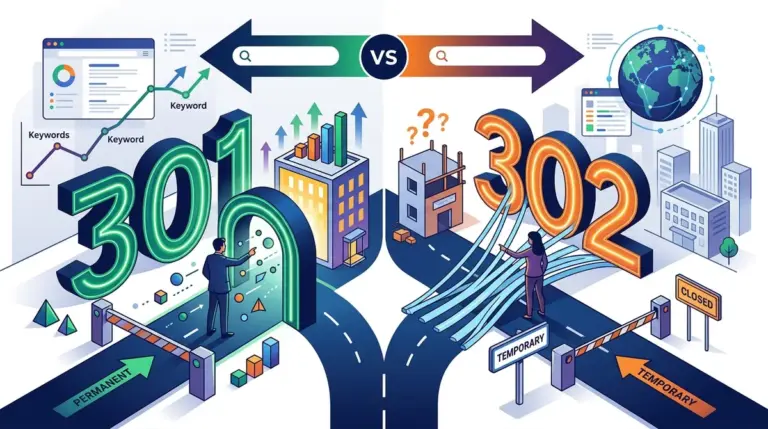
Warning: Excessive use of 301 redirects in a single chain (usually more than three) can cause search engines to stop following the path entirely. Always point redirects directly to the final destination URL to preserve crawl efficiency and link equity.
JavaScript Rendering Challenges
Modern web frameworks like React or Angular often rely on client-side rendering. While Googlebot has become more proficient at executing JavaScript, it is a two-stage process. First, the bot crawls the HTML; then, it places the page in a queue for rendering. If your content is hidden behind complex scripts that take too long to load, the bot may see a blank page during the initial crawl, leading to incomplete indexing or a total failure to understand the page's context.
Optimizing the Crawl Budget
Crawl budget refers to the number of pages a search engine bot will crawl on your site within a specific timeframe. While small sites rarely need to worry about this, it is a critical concern for publishers and large-scale e-commerce platforms. Factors that influence crawl budget include site speed, the number of pages on the site, and the "cleanliness" of the URL structure.
- Eliminate Duplicate Content: Use canonical tags to tell bots which version of a page is the master copy. This prevents the bot from wasting time crawling multiple versions of the same content (e.g., tracking parameters or filtered product lists).
- Manage Faceted Navigation: E-commerce filters can create millions of unique URLs. Use the robots.txt file or the "Noindex" directive to prevent bots from crawling every possible combination of size, color, and price filters.
- Fix Broken Links: Internal 404 errors are dead ends for bots. Regularly use a site crawler to identify and fix these broken paths to keep the bot moving through your site.
- Improve Page Load Speed: Faster servers allow bots to fetch more pages in less time. High latency or slow Time to First Byte (TTFB) directly limits how much of your site can be crawled in a single session.
Implementing a Crawlability Audit
To maintain a healthy search presence, you must view your site through the lens of a crawler. This involves using tools to simulate the bot's journey and identifying where the process breaks down. Start by checking the "Crawl Stats" report in Google Search Console. This report provides data on how many requests are made daily, the average response time, and the percentage of successful vs. failed requests.
Next, use a desktop-based crawler to perform a "spider" of your site. Compare the number of URLs found by the crawler to the number of URLs you actually have in your database. If the crawler finds significantly fewer pages, you likely have an internal linking issue. If it finds significantly more, you probably have a "URL explosion" caused by dynamic parameters or session IDs that need to be managed via the robots.txt or canonicalization.
Best for: Large-scale websites and those undergoing a migration or structural redesign. Regular audits prevent technical debt from accumulating and blocking your organic growth.
Actionable Steps for Improved Indexing Discovery
Improving crawlability is an ongoing maintenance task rather than a one-time fix. To ensure your site remains accessible, follow this checklist:
1. Monitor your server logs to see exactly which pages bots are visiting and how often.
2. Ensure your XML sitemap is dynamically updated and referenced in your robots.txt file.
3. Audit your internal link structure to remove any "no-follow" tags on internal links that should be passing authority and discovery.
4. Use the "URL Inspection Tool" in search consoles to test how a specific page is rendered and whether any resources are being blocked.
5. Consolidate thin content or low-value pages that may be diluting your crawl budget without providing SEO value.
Frequently Asked Questions
What is the difference between crawlability and indexability?
Crawlability refers to the search engine's ability to access and navigate through the pages of your site. Indexability refers to the search engine's ability to analyze that content and include it in its search results. A page must be crawlable before it can be indexable, but a crawlable page might be blocked from the index via a "noindex" tag.
Can a site have too many links for a bot to follow?
While there is no hard limit, having thousands of links on a single page (like a massive "mega-menu") can dilute the value of those links and potentially overwhelm a crawler's ability to prioritize which path to take. It is better to use a focused, hierarchical navigation structure.
Does a high crawl rate mean better rankings?
Not necessarily. A high crawl rate simply means the bot is visiting your site frequently. While this is necessary for ranking, it does not guarantee a high position. However, if your crawl rate suddenly drops, it is often a leading indicator of technical issues or a perceived drop in site quality by the search engine.
How do I stop bots from crawling specific pages?
The most effective way is to use the robots.txt file to "Disallow" specific directories or URL patterns. If you want the page to be crawled but not show up in search results, use the "noindex" meta tag instead.