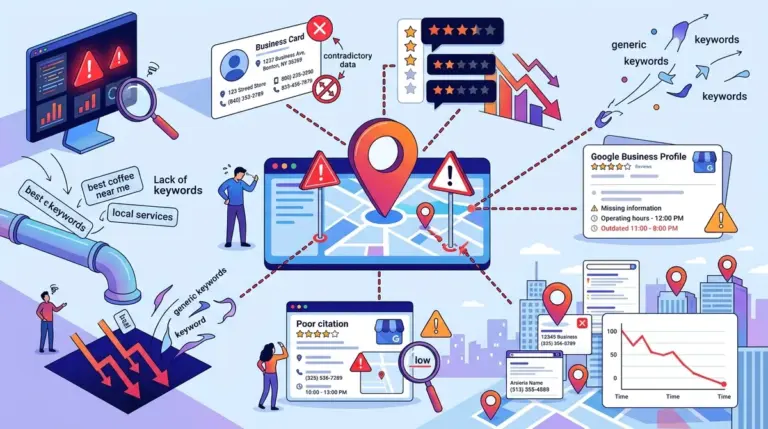

Service Area Businesses (SABs) face a unique technical hurdle in local search: they must rank in locations where they do not maintain a physical storefront. Unlike a retail shop that draws customers to a specific point on a map, a plumber, carpet cleaner, or mobile pet groomer operates within a radius. Google’s algorithm prioritizes proximity, which often creates a disadvantage for SABs competing against businesses with physical addresses in high-density areas. Mastering Service Area SEO requires a shift from "near me" optimization to "territory dominance" through specific technical configurations and localized content structures. Mastering Service Area SEO requires a shift from "near me" optimization to "territory dominance" through specific technical configurations and avoiding common mistakes in local SEO.
Defining the Service Area in Google Business Profile
The foundation of Service Area SEO is the Google Business Profile (GBP) configuration. For businesses operating from a home office or a dispatch hub that does not accept walk-in customers, the physical address must be hidden to comply with Google's Terms of Service. Instead of a pin at a specific coordinate, Google renders a shaded area on the map representing the business's reach.
Best for: Mobile service providers like HVAC technicians, locksmiths, and landscapers who work at customer locations.
When setting these boundaries, you can define your area by cities, postal codes, or counties. A common mistake is selecting a radius that is too broad. Google generally limits service areas to a maximum of a two-hour driving radius (approximately 100 miles or 160 kilometers) from the business's base. Selecting an entire state when you only have two trucks in one city will dilute your local relevance and trigger algorithmic filters that favor more localized competitors.
The Hidden Address Nuance
Hiding your address does not inherently lower your ranking, but it does change how you appear in the "Local Pack." Without a public address, you lose the ability to show a specific map pin, which means your proximity is calculated from the center of the service area you define or your verified business location. To maintain visibility, your profile must have a high volume of reviews from customers located across your entire service territory, not just your home zip code.
Structuring High-Converting Service Area Pages
Since your GBP can only do so much heavy lifting outside your immediate city, your website must fill the gap through dedicated Service Area Pages (SAPs). These are not generic "landing pages" with swapped-out city names; they are localized resources that prove to Google you actually operate in that specific neighborhood.
Key components of an effective SAP:
- Hyper-Local Content: Mention specific neighborhoods, local landmarks, or regional climate issues that affect your service (e.g., "Hard water solutions for North Dallas homes").
- Embedded Google Maps: Embed a map showing your service area for that specific city, not just a general map of the state.
- Localized Reviews: Use schema-marked reviews from customers who live in that specific town.
- Staff Photos: Show your team on-site in that city to provide visual proof of service.
- Unique Service Descriptions: If you offer different services in different zones (e.g., snow removal in the mountains but only landscaping in the valley), reflect that accurately.
Warning: Avoid "doorway pages." If you create 50 identical pages where only the city name changes in the H1, Google’s "Helpful Content" systems may flag the site for low-value, repetitive content. Every page must offer unique utility to the resident of that specific area.
Technical SEO and Schema for SABs
To help search engines understand your territory, you must use Local Business Schema with the areaServed property. This tells the crawler exactly which jurisdictions your business covers. While a standard brick-and-mortar uses address, an SAB should utilize a combination of ServiceArea and GeoShape.
Using GeoShape allows you to define a circle or a polygon via coordinates. This is significantly more precise than just listing a city name, as it aligns with the data Google sees in your GBP. Additionally, ensure your NAP (Name, Address, Phone) consistency remains intact across the web. Even if your address is hidden on your profile, it should be consistently used on the backend of directories to verify your business's legitimacy.
Building Local Authority Without a Storefront
Traditional backlink building often focuses on industry-specific sites, but for an SAB, local relevance is more valuable than niche relevance. A link from a local high school football team’s sponsorship page or a neighborhood blog in your target service area carries more weight for local rankings than a generic trade magazine link. These "geo-signals" tell Google that your business is an active participant in that specific community.
Managing Reviews Across the Territory
Proximity in search is heavily influenced by where your reviewers are located when they leave a comment. Encourage customers to mention their neighborhood or city in their review. For example, a review stating, "Best electrician in downtown Chicago," is more powerful for your Chicago SAP than a review that just says, "Great service."
Execution Checklist for Service Area Dominance
To move from a single-city presence to a regional leader, follow these specific steps to align your digital footprint with your physical operations:
1. Audit your GBP to ensure the "Service Area" settings do not exceed a two-hour drive time.
2. Create unique Service Area Pages for your top five highest-revenue zip codes, focusing on local pain points.
3. Implement areaServed Schema markup on every city-specific page.
4. Audit your citations to ensure your "hidden" home office address is consistent across Yelp, Bing, and industry directories.
5. Set up a localized review acquisition strategy that prompts customers to mention their specific location.
Service Area SEO FAQ
Can I have multiple Google Business Profiles for different service areas?
Only if you have a physical, staffed office in each location. Creating "virtual offices" or using PO boxes to get more GBP listings is a violation of Google’s guidelines and will likely lead to a permanent suspension of all your profiles.
Does hiding my address on Google Business Profile hurt my SEO?
No. For businesses that do not serve customers at their location, hiding the address is required. Google uses your verified address in the background to determine proximity, but it won't penalize you for following the rules for Service Area Businesses.
How many Service Area Pages should I create?
Start with your most profitable areas. Quality is more important than quantity. It is better to have five pages with original photos, local testimonials, and specific neighborhood advice than 50 pages of thin, templated content that provides no value to the user.
What is the best way to prove to Google I work in a specific city?
The most effective way is through "proof of work." This includes uploading photos of your trucks or completed jobs in that city to your GBP and your website, and obtaining reviews from customers verified to be in that location.