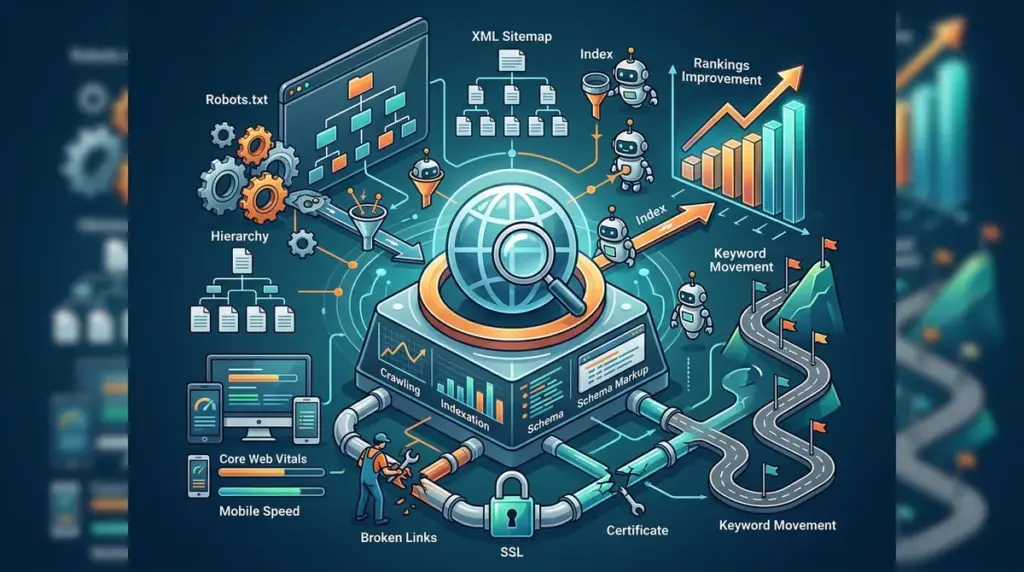
Technical SEO is the practice of optimizing a website’s infrastructure to ensure search engines can find, crawl, interpret, and index your pages without friction. While content strategy focuses on "what" you are saying and backlink profiles focus on "who" trusts you, technical SEO focuses on "how" your site functions. If your site’s code is bloated, its architecture is messy, or its server response is sluggish, even the most authoritative content will fail to rank. For a business, technical SEO is the difference between a high-converting digital storefront and a site that is invisible to the bots that drive traffic. Understanding the core principles of technical SEO is foundational for ensuring search engines can effectively interact with your website.
The Relationship Between Crawlability and Indexability
Search engines use automated bots, often called spiders or crawlers, to discover content. To rank, your page must go through a three-step process: crawling (discovery), indexing (storage), and ranking (evaluation). Technical SEO primarily manages the first two stages.
Crawlability refers to the search engine's ability to access your content. If your robots.txt file is misconfigured or you have broken internal links, you are effectively locking the door to Googlebot. Indexability refers to whether the search engine can actually add the page to its database after crawling it. A page might be crawlable but non-indexable if it contains a "noindex" tag or if it is a duplicate of another page (canonicalization issues).
Common blockers include:
- Robots.txt Errors: Accidentally blocking important directories like /scripts/ or /images/, which prevents bots from seeing the full page layout.
- 404 Errors: Broken links that waste "crawl budget"—the limited amount of time a bot spends on your site.
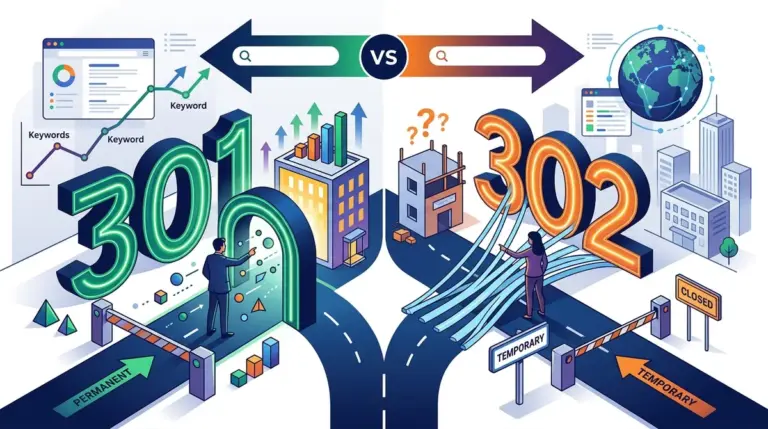
- Redirect Loops: When Page A points to Page B, which points back to Page A, trapping the crawler in an infinite cycle.
- Orphan Pages: Pages that have no internal links pointing to them, making them nearly impossible for bots to find.
Warning: Never use the "noindex" tag on a page you want to rank. While this sounds obvious, many developers leave "noindex" active on staging environments, then push that code to the live site, causing the entire website to drop out of search results overnight.
Site Architecture and URL Hierarchy
A logical site structure helps search engines understand the relationship between different pages. A "flat" architecture is generally preferred, meaning any page on your site should be accessible within three clicks of the homepage. This ensures that link equity (ranking power) is distributed effectively throughout the domain.
URL structure is a secondary but vital component of architecture. A clean, descriptive URL like SEO Learning Center/services/seo-audit/ provides context to both the user and the bot. Conversely, a dynamic URL like SEO Learning Center/p=123?id=99 offers no information and can sometimes lead to duplicate content issues if the same page is accessible via multiple parameters.
The Role of Internal Linking
Internal links are the pathways bots follow. Beyond navigation, they signal which pages are the most important. A page with 500 internal links is viewed by Google as more significant than a page with only five. Using descriptive anchor text—the clickable part of the link—further helps search engines understand the topic of the destination page.
Performance Metrics and Core Web Vitals
Since 2021, Google has used Core Web Vitals as a formal ranking factor. These metrics measure the actual user experience of loading a page. If your site is slow, users bounce, and Google interprets that bounce as a sign of a poor-quality result.
Key Metrics to Track:
Largest Contentful Paint (LCP): This measures loading performance. To provide a good user experience, LCP should occur within 2.5 seconds of when the page first starts loading.
Interaction to Next Paint (INP): This measures responsiveness. It tracks the time it takes for a page to respond to a user interaction, like clicking a button or a link. A low INP means the site feels "snappy."
Cumulative Layout Shift (CLS): This measures visual stability. Have you ever tried to click a link, but the page shifted and you clicked an ad instead? That is a high CLS. You want this score to be as close to zero as possible.
Mobile-First Indexing and Security
Google now uses the mobile version of a website’s content for indexing and ranking. If your desktop site is perfect but your mobile site is missing content or has tiny, unclickable buttons, your rankings will suffer across all devices. Responsive design is no longer an "extra"—it is the baseline requirement for modern SEO.
Security is another non-negotiable technical element. HTTPS (Hypertext Transfer Protocol Secure) encrypts the data sent between the user's browser and your server. Google has confirmed that HTTPS is a lightweight ranking signal. More importantly, browsers like Chrome now flag non-HTTPS sites as "Not Secure," which destroys user trust and conversion rates.
Structured Data and Schema Markup
Structured data is a standardized format for providing information about a page and classifying the page content. By using SEO Learning Center vocabulary in a JSON-LD format, you can tell Google exactly what a page is about: a recipe, a product, an FAQ, or a local business.
While Schema is not a direct ranking factor, it enables "Rich Snippets." These are enhanced search results that include star ratings, prices, or images. Rich snippets significantly increase your Click-Through Rate (CTR), which sends positive signals to search engines and drives more traffic without needing a higher rank.
Executing a Technical SEO Audit
To maintain a healthy site, you must perform regular technical audits. This is not a "one and done" task; every time you add a plugin, update your CMS, or migrate content, you risk breaking a technical element. Focus your audit on these high-impact areas first:
- Check for Indexing Errors: Use Google Search Console to identify pages with 404 errors or those excluded by "noindex" tags.
- Analyze Page Speed: Use tools like PageSpeed Insights to identify large images or unminified JavaScript that is slowing down the site.
- Audit the XML Sitemap: Ensure your sitemap is up to date and only contains URLs you actually want to rank. Remove 404s and redirected URLs from the sitemap.
- Review Canonical Tags: Ensure every page has a self-referencing canonical tag to prevent duplicate content issues, especially on e-commerce sites with many product filters.
Frequently Asked Questions
Do I need to be a developer to do technical SEO?
No, but you need to understand the concepts well enough to communicate with developers. Many technical fixes, like updating meta tags or simple redirects, can be done via a CMS like WordPress, but server-side changes usually require a developer.
How often should I perform a technical audit?
For small sites, a deep dive every six months is usually sufficient. For large e-commerce sites or publishers adding daily content, monthly audits are necessary to catch crawl errors before they impact revenue.
Is site speed more important than content?
No. Content is still the primary driver of rankings. However, if two sites have equally good content, the faster, more technically sound site will almost always outrank the slower one. Think of technical SEO as the multiplier for your content's value. Improving site speed and user experience through technical optimizations can significantly boost your content's visibility.