Technical SEO is the process of optimizing your website's infrastructure so search engines can access, crawl, and interpret your pages without friction. While content and backlinks drive authority, technical SEO ensures that your site is eligible to compete in the first place. If a search engine cannot parse your code or follow your internal links, even the highest-quality content will fail to rank. For site owners and marketers, mastering these fundamentals is about removing the barriers between your server and the search engine results page (SERP). Understanding the fundamentals of what technical SEO is will set you on the right path for optimization.
Crawlability and Indexing Infrastructure
Before a page can rank, it must be discovered (crawled) and saved (indexed). Crawlability refers to the search engine's ability to navigate your site's link structure. Indexing is the process of adding those discovered pages to the search engine's massive database.
Robots.txt: This is a text file located in your root directory that tells search engine bots which pages or sections of your site they should not visit. It is a tool for managing "crawl budget"—the limited amount of time a bot spends on your site. Use it to block low-value areas like internal search result pages or backend login folders.
XML Sitemaps: Think of this as a roadmap for search engines. An XML sitemap lists your most important URLs, ensuring that bots don't miss deep-seated content. It should only include "clean" URLs—those that return a 200 status code and are not blocked by robots.txt or marked with a noindex tag.
Warning: Never use the robots.txt file to "noindex" a page. If a page is blocked via robots.txt, the bot cannot see the "noindex" tag on the page itself. This can result in the page still appearing in search results if it has external backlinks. To properly remove a page from the index, allow it to be crawled but include a meta robots "noindex" tag in the HTML head.
Site Architecture and Internal Linking
The way you organize your pages dictates how authority flows through your site. A "flat" site architecture is generally preferred, meaning any page on the site can be reached in three clicks or fewer from the homepage. This ensures that "link juice" (ranking power) is distributed effectively and that bots can find new content quickly.
Internal Linking: These are links from one page on your domain to another. They serve three purposes: they provide a clear navigation path for users, they establish an information hierarchy, and they help spread ranking power across the site. Use descriptive anchor text that tells the bot exactly what the destination page is about, rather than generic phrases like "click here."
Breadcrumbs: These are small text paths usually located at the top of a page (e.g., Home > Blog > Technical SEO). They improve user experience and provide search engines with a clear understanding of your site’s category structure.
Core Web Vitals and User Experience
Search engines prioritize sites that provide a fast, stable experience. Core Web Vitals (CWV) are specific metrics that measure the health of a site’s user experience. Since 2021, these have been official ranking factors.
- Largest Contentful Paint (LCP): Measures loading performance. To provide a good user experience, LCP should occur within 2.5 seconds of when the page first starts loading.
- Interaction to Next Paint (INP): Measures responsiveness. This tracks the time it takes for a page to respond to user inputs like clicks or key presses. A score under 200 milliseconds is considered good.
- Cumulative Layout Shift (CLS): Measures visual stability. Have you ever tried to click a button only for the page to jump, causing you to click an ad instead? That is a layout shift. A CLS score should be less than 0.1.
Optimizing these metrics often involves technical tasks like compressing images, leveraging browser caching, and removing unnecessary JavaScript that blocks the main thread of the browser.
Security and Mobile-First Indexing
Security is a non-negotiable baseline. Since 2014, HTTPS has been a ranking signal. It encrypts the data sent between the user's browser and your server, protecting sensitive information. Sites still running on HTTP may be flagged as "Not Secure" by browsers, which increases bounce rates and destroys user trust.
Mobile-First Indexing: Most search engines now use the mobile version of a website for indexing and ranking. If your mobile site has less content than your desktop site, or if it is difficult to navigate on a smartphone, your rankings will suffer across all devices. Ensure your design is responsive, meaning the layout adjusts automatically to the screen size.
Managing Duplicate Content with Canonicals
Duplicate content confuses search engines. If you have multiple versions of the same page (e.g., a product page accessible via two different categories), the search engine won't know which one to rank. This dilutes your ranking potential.
Canonical Tags: The rel="canonical" link element tells search engines which version of a URL is the "master" copy. By placing this tag in the HTML head of duplicate pages, you consolidate the ranking power into a single URL. This prevents "keyword cannibalization," where your own pages compete against each other in the SERPs.
Structured Data and Schema Markup
Structured data is a standardized format for providing information about a page and classifying the page content. By using SEO Learning Center vocabulary, you can help search engines understand the context of your content. For example, you can tell a bot that a specific string of numbers is a "price" or that a block of text is a "review."
Best for: E-commerce sites (Product schema), recipe blogs (Recipe schema), and local businesses (LocalBusiness schema). Implementing schema can result in "rich snippets"—enhanced search results that include star ratings, prices, or FAQ dropdowns, which significantly improve click-through rates (CTR).
Prioritizing Your Technical SEO Roadmap
Technical SEO can feel overwhelming because of its breadth, but you should prioritize fixes based on their impact on crawlability. Start by ensuring your site is accessible via HTTPS and that your robots.txt isn't accidentally blocking vital pages. Next, focus on site speed by optimizing images and addressing the heaviest elements identified in a Core Web Vitals report. Finally, implement structured data to enhance your appearance in the SERPs. Treat technical SEO as a recurring audit rather than a one-time project; as your site grows and your CMS updates, new technical debt will inevitably accrue. Prioritizing site speed by optimizing images is key, especially when addressing elements identified in a Core Web Vitals report.
Frequently Asked Questions
How often should I perform a technical SEO audit?
For most small to medium sites, a deep-dive audit once every six months is sufficient. However, for large e-commerce sites with thousands of pages, monthly monitoring is necessary to catch broken links, redirect loops, or indexing errors early.
What is the difference between a 301 and a 302 redirect?
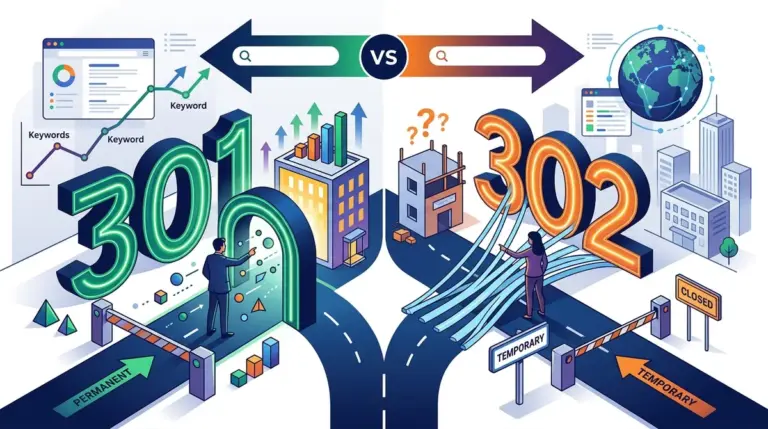
A 301 redirect is a permanent move. It tells search engines to pass the ranking power from the old URL to the new one. A 302 redirect is temporary. It tells search engines to keep the old URL in the index because the move is not permanent, meaning no ranking power is transferred.
Does a 404 error hurt my site’s rankings?
A few 404 errors are natural and won't penalize your entire site. However, if a high-authority page that has many backlinks returns a 404, you lose all that link equity. In those cases, you should use a 301 redirect to point that URL to the most relevant live page.