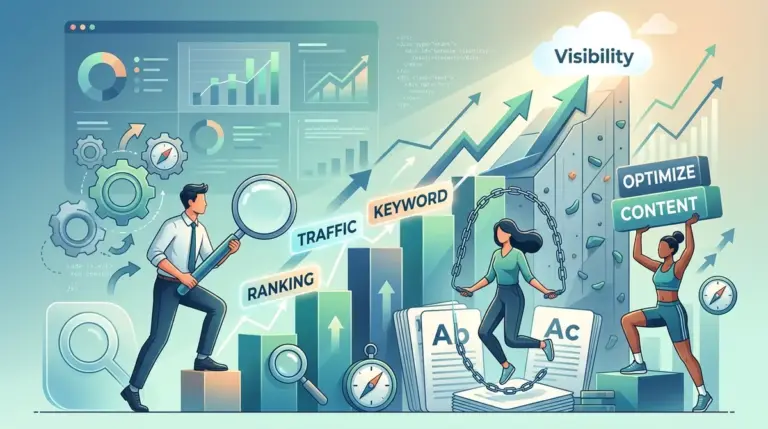
Launching a new site usually creates the same tension: you want traffic quickly, but you do not want to build pages that need to be rewritten six months later. On-page SEO is where that tradeoff gets decided. It covers the parts you control directly on your own pages: titles, headings, copy structure, internal links, image handling, search intent alignment, and the small technical signals that help search engines understand what a page is trying to rank for.
For new website owners, the fastest way to improve results is not chasing advanced tactics. It is learning the lessons that stop weak pages from being published in the first place. The list below ranks the on-page SEO lessons that matter most early on, based on impact, ease of implementation, and how often they prevent expensive content mistakes.
What to Look For
Prioritize lessons that change publishing behavior, not just theory. A useful on-page SEO lesson should help you make better decisions before a page goes live: what keyword to target, what format to use, how to structure sections, where to place internal links, and how to avoid thin or duplicative copy. If a lesson cannot be turned into a repeatable checklist for writers, editors, or site owners, it usually does not move rankings consistently.
1. Search Intent Match
The most important on-page lesson for a new site is that rankings usually fail before the first sentence is written. If the page format does not match what searchers want, better wording will not fix it. A product page will struggle on a query dominated by tutorials. A glossary definition will struggle if searchers expect a comparison. Intent match decides whether your page belongs in the result set at all.
Best for: Anyone choosing topics, page types, or content briefs for a new site.
Pros: Prevents wasted content production; improves click potential because the page format matches expectations; reduces rewrites caused by targeting the wrong keyword with the wrong asset.
Cons: Requires manual review of search results; intent can shift by query variation, location, and device; some keywords have mixed intent and need a more careful page structure.
Verdict: If you learn only one on-page SEO lesson first, make it this one. Matching intent is the difference between publishing a page that can compete and publishing one that never had a realistic chance.
2. Title Tags That Earn Clicks Without Losing Relevance
New site owners often treat title tags as a place to stuff keywords. That usually creates bland, repetitive titles that rank poorly and attract fewer clicks. A better lesson is to write titles that keep the main phrase intact while adding a concrete angle: year, use case, audience, comparison point, or outcome. Search engines use titles to understand topic relevance, but users use them to decide whether your result is worth opening.
Best for: Pages targeting commercial, informational, or local queries where click-through rate matters.
Pros: Improves topical clarity; increases the chance of a higher click rate from the same ranking position; helps differentiate similar pages across a site.
Cons: Over-optimization can trigger rewrites in search results; vague branding wastes space; repeating the same title pattern across dozens of pages weakens distinctiveness.
Verdict: Write titles for both retrieval and persuasion. Keep the primary phrase visible, but use the remaining characters to answer the searcher’s next question: “What exactly will I get if I click?”
3. One Primary Topic Per Page
Many new websites publish pages that try to rank for several loosely related terms at once. The result is scattered copy, weak headings, and a page that never becomes the best answer for any single query. A cleaner lesson is to assign one primary topic to each page, then support it with close variants and subtopics. This makes the page easier to structure, easier to link internally, and easier for search engines to classify.
Best for: Small sites building their first service pages, blog posts, category pages, or tutorials.
Pros: Reduces keyword cannibalization; sharpens page structure; makes internal linking more logical; helps content teams produce clearer briefs.
Cons: Requires discipline when multiple keywords look attractive; some pages naturally cover clusters and need a broader scope; old sites may need consolidation work.
Verdict: A page with one clear job usually outperforms a page trying to do three jobs badly. Focus first, then expand with supporting content around it.
4. Headings That Organize Information, Not Just Keywords
Headings are often treated as decoration or as a place to repeat target terms. Their real value is structural. Good headings break a page into predictable sections that help users scan, help writers stay on topic, and help search engines map the relationship between ideas. If a visitor can understand the page argument by reading only the H2s and H3s, the structure is usually working.
Best for: Tutorials, service pages, long-form guides, and any page where users skim before committing to read.
Pros: Improves readability; supports featured snippet eligibility for some queries; makes content editing faster because gaps are easier to spot.
Cons: Mechanical keyword insertion can make headings awkward; too many micro-sections can fragment the reading experience; inconsistent hierarchy confuses both users and editors.
Verdict: Use headings to answer the sequence of questions a searcher actually has. That creates a page that is easier to rank, easier to edit, and easier to use.
5. Internal Links That Pass Context, Not Just Authority
New websites usually underuse internal linking or add it randomly after publication. The better lesson is that internal links do two jobs at once: they help search engines discover and prioritize pages, and they tell users what to read next. The anchor text, placement, and source page all matter. A link from a relevant paragraph inside a closely related article carries more contextual value than a generic “learn more” link dropped into a footer block.
Best for: Sites building topical clusters, resource centers, service libraries, or early-stage blog archives.
Pros: Helps distribute crawl attention; clarifies topical relationships; improves session depth by offering the next logical page; supports newer pages that have not earned external links yet.
Cons: Easy to overdo with repetitive exact-match anchors; sitewide widgets can create noise; broken internal links quietly damage both usability and crawl efficiency.
Verdict: Treat internal links as editorial recommendations. Link where the reader naturally needs the next step, and use anchor text that signals exactly what is on the destination page.
6. Useful Copy Beats Word Count Targets
One of the most expensive beginner mistakes is writing to a number instead of writing to a need. A 2,000-word page that circles around the answer will lose to an 800-word page that solves the problem quickly and clearly. Search engines do not reward length by itself. They reward pages that satisfy the query better than competing results. That may require depth, but only when the topic demands it.
Best for: Content teams tempted to use fixed minimum lengths across every article or landing page.
Pros: Reduces filler; speeds up production; makes pages easier to maintain; improves user satisfaction when answers are direct and complete.
Cons: Short pages can become thin if they skip key subtopics; some competitive queries do require broader coverage; writers may mistake brevity for lack of detail.
Verdict: Scope content to the query, not to a spreadsheet rule. The right length is the one that covers the topic fully without forcing the reader through repetition.
7. Intro Sections Must Confirm Relevance Fast
The opening paragraph has a practical SEO job: confirm that the page matches the query and show the reader they are in the right place. New site owners often waste this space on scene-setting, brand language, or broad definitions. That slows down the page and increases bounce risk. A better intro states what the page covers, who it is for, and what the reader will get from continuing.
Best for: Blog posts, service pages, and educational resources competing for impatient search traffic.
Pros: Improves engagement; reinforces topical relevance early; helps users self-qualify before they scroll; creates cleaner openings for featured summary text.
Cons: Overly compressed intros can sound robotic; repeating the title verbatim wastes valuable space; some narrative-led content needs a softer opening.
Verdict: Your intro does not need flair. It needs clarity. Tell the visitor exactly what problem the page solves and what kind of answer they are about to read.
8. Image SEO Is Mostly About Context and Performance
Beginners often reduce image SEO to alt text. Alt text matters for accessibility and context, but image handling affects on-page SEO more broadly. File size influences load speed. Filenames can add minor relevance signals. Captions can improve comprehension. Placement near relevant copy helps search engines understand the relationship between the image and the topic. Decorative stock art rarely helps any of this.
Best for: Ecommerce pages, tutorials, local business sites, recipe content, and visual explainers.
Pros: Improves page speed when images are compressed correctly; supports accessibility; can increase image search visibility; strengthens page usefulness when visuals explain steps or products clearly.
Cons: Large uncompressed images slow pages quickly; keyword-stuffed alt text creates poor accessibility; irrelevant images add clutter without supporting the topic.
Verdict: Use images that explain, prove, or demonstrate something. Then optimize them so they add value without slowing the page that needs to rank.
9. URLs Should Be Stable, Short, and Descriptive
URL structure is not a magic ranking lever, but it affects clarity, maintenance, and user trust. New sites often create long URLs filled with dates, categories, or unnecessary words, then change them later and create avoidable redirect chains. A better lesson is to publish clean URLs from the start: readable, concise, and closely aligned with the page topic.
Best for: Anyone setting up a new site architecture or content publishing workflow.
Pros: Easier for users to understand; simpler to share; reduces future migration cleanup; helps editors keep taxonomy under control.
Cons: Changing existing URLs can cause temporary disruption if redirects are mishandled; over-planning folder structures can create unnecessary complexity; very short URLs can become ambiguous.
Verdict: Choose a URL pattern you can live with for years. Stability matters more than squeezing every possible keyword variation into the slug.
10. Duplicate and Near-Duplicate Pages Dilute Performance
New websites frequently create multiple pages targeting slight keyword variations, city modifiers, or repeated service descriptions. That can split internal link equity, confuse search engines, and leave several weak pages competing with each other. The better lesson is to consolidate where the user need is the same and differentiate only when the page truly serves a different intent, location, or product.
Best for: Service businesses, ecommerce sites, affiliate publishers, and local sites scaling content quickly.
Pros: Reduces cannibalization; improves content quality by combining signals into one stronger page; lowers maintenance burden; makes analytics easier to interpret.
Cons: Consolidation takes editorial judgment; some pages need unique local or commercial detail to justify separation; legacy sites may have many overlapping assets to untangle.
Verdict: More pages do not automatically create more visibility. One page with distinct purpose and real substance usually outperforms several thin variations aimed at the same search need.
11. On-Page SEO Includes Trust Signals
Search visibility is not only about keywords and structure. Users and search engines both respond to signals that a page is credible and maintained. That includes visible author or business details where appropriate, clear contact information on commercial pages, updated dates when useful, source references for factual claims, and copy that reflects real experience instead of generic summaries. Thin pages with no proof points often fail even when technically optimized.
Best for: Health, finance, legal, B2B, local service, and review-oriented content where credibility affects conversion and rankings.
Pros: Improves user confidence; supports conversion on decision-stage pages; reduces the “anonymous content” problem common on new sites; helps differentiate original material from rewritten summaries.
Cons: Requires operational follow-through to keep details current; weak or fake proof signals can backfire; not every page needs the same level of attribution.
Verdict: Trust signals are part of on-page SEO because they influence whether users believe the page and whether the page deserves to rank for sensitive or commercial topics.
12. Publishing Is Only Half the Job
The final lesson is operational: on-page SEO improves most when pages are revised after real performance data comes in. New site owners often publish once and move on. That misses the highest-return work. Search Console queries, click-through rates, engagement patterns, and conversion data show whether the title needs sharper positioning, whether headings miss key subtopics, or whether the page is attracting the wrong audience entirely.
Best for: Any site that wants compounding gains instead of one-time content uploads.
Pros: Turns SEO into an iterative process; helps pages grow without full rewrites; reveals mismatches between ranking keywords and business goals; improves ROI on existing content.
Cons: Requires reporting discipline; early data on new sites can be thin; teams without ownership often let refresh cycles slip.
Verdict: The pages that win over time are usually not the pages that were perfect on day one. They are the pages that get measured, edited, and sharpened after they start collecting real search behavior.
How to Measure Success
Track on-page SEO changes at the page level, not only at the sitewide level. Start with impressions, clicks, average position, and click-through rate in Google Search Console. Then compare those numbers with engagement and conversion data in your analytics platform. A page that gains impressions but loses clicks usually needs title and meta refinement. A page that ranks but does not convert may match the keyword while missing the buyer’s real need. A page with strong engagement but weak rankings may need better internal links, cleaner intent targeting, or more explicit topical coverage.
For new websites, use a simple review cycle: check new pages after 30 days, 60 days, and 90 days. Look for query drift, cannibalization, weak intros, missing subtopics, and internal linking gaps. The goal is not just more traffic. It is more qualified traffic landing on pages built to answer, persuade, and convert.
FAQ
How long does on-page SEO take to work on a new website?
Small improvements can appear within a few weeks, especially on low-competition queries, but new sites usually need more time because they are building trust and crawl history at the same time. Expect clearer patterns after a few months, not a few days.
What is the first on-page SEO fix most new sites should make?
Check whether each important page matches the search intent of its target keyword. If the page type is wrong, changes to copy, headings, or keyword placement will have limited effect.
Do I need a certain keyword density to rank?
No. Use the primary phrase where it helps clarity, especially in the title, main heading, intro, and relevant subheadings, but write naturally. Coverage of the topic matters more than repeating the same term mechanically.
Should every page target a different keyword?
Every important page should have a distinct primary topic or purpose. Close variants can live on the same page when the search intent is the same, but separate pages should not compete for the same need without a clear reason.
Can I do on-page SEO without writing long articles?
Yes. The right length depends on the query. Some searches need a short definition, some need a product page, and some need a detailed tutorial. The requirement is usefulness, not bulk.