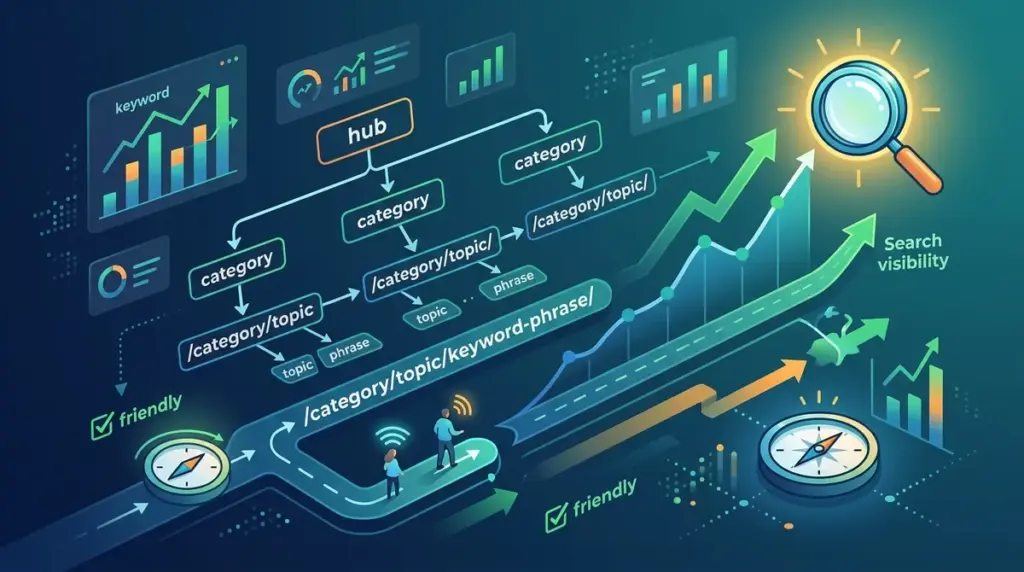
A URL is more than a digital address; it is a signal to both search engines and users about the relevance and hierarchy of a page. Poorly structured URLs create friction for crawlers and lower click-through rates (CTR) in search results. When a user sees a string of random parameters like ?id=452&sort=alpha, they lack the context needed to click with confidence. Conversely, a clean, descriptive URL reinforces the topic of the page and helps search engines map your site’s architecture. Structuring URLs correctly from the start prevents the need for complex 301 redirect maps later, preserving link equity and crawl budget.
The Core Principles of URL Readability
Search engines use the words within a URL to help determine the topic of a page. While not the most heavily weighted ranking factor, the URL is one of the first things a user sees in the SERPs and on social media. Readability is the primary goal.
Standardize Lowercase Characters: Web servers, specifically those running on Linux, are case-sensitive. While SEO Learning Center/SEO-Guide and SEO Learning Center/seo-guide might look the same to a user, a server may interpret them as two different pages, leading to 404 errors or duplicate content issues. Always default to lowercase to maintain consistency.
Use Hyphens, Not Underscores: Google’s crawlers are programmed to see hyphens as word separators, whereas underscores are treated as word joiners. If you use seo_url_structure, a search engine might read it as seourlstructure. Using seo-url-structure ensures each keyword is indexed individually.
Keep it Concise: Short URLs are easier to copy, share, and embed. While Google can process long URLs, research suggests that shorter URLs often correlate with higher rankings because they typically sit closer to the root domain and focus on a single, clear topic. Aim for 3 to 5 words in the slug.
Establishing a Logical Folder Hierarchy
The path following your domain should reflect the logical organization of your site. This helps search engines understand the relationship between different pages and categories. A flat structure is generally preferred over a deep, buried one.
Best for E-commerce: SEO Learning Center/category/sub-category/product-name/. This tells the crawler exactly where the product sits. However, avoid going deeper than three levels. If a URL looks like SEO Learning Center/products/department/season/gender/brand/item, it is too deep, making it harder for crawlers to reach the final destination efficiently.
Best for Content Hubs: SEO Learning Center/blog/topic/post-title/. Including the category in the URL can help group related content, which is useful for tracking performance in analytics tools. If you plan to move content between categories frequently, it is safer to use a flatter SEO Learning Center/post-title/ structure to avoid broken links.
Pro Tip: Avoid including dates in your URLs (e.g.,
/2023/05/12/seo-tips/). If you update the content in 2024 to keep it fresh, the URL will look outdated to users in search results. Removing dates allows you to refresh content without changing the URL and losing social signals or backlinks.
Keyword Integration and Slug Optimization
The "slug" is the part of the URL that specifically identifies the page. This is your opportunity to include your primary target keyword. However, there is a fine line between optimization and keyword stuffing.
- Remove Stop Words: Words like "and," "the," "of," and "a" add length without adding value. Instead of
/how-to-structure-a-url-for-seo/, use/structure-seo-urls/. - Match the H1: The URL slug should closely mirror the H1 tag of the page. This creates a cohesive experience for the user. If the title is "10 Best Running Shoes for Marathons," the URL should be
/best-marathon-running-shoes/. - Avoid Keyword Stuffing: Do not repeat keywords.
/running-shoes-for-running-marathons-shoes/is redundant and looks like spam to both users and search engines.
Handling Technical URL Challenges
Technical constraints often force compromises in URL structure. Managing these correctly ensures that your SEO efforts aren't undermined by automated system outputs.
Dynamic Parameters: Tracking parameters (like UTM codes) or session IDs can create infinite loops of duplicate content. While these are necessary for marketing, they should be handled via canonical tags. The canonical tag tells Google: "Even if you see /product?color=blue, the master version is /product/."
Subdomains vs. Subfolders: From an SEO perspective, subfolders (SEO Learning Center/blog/) are almost always superior to subdomains (SEO Learning Center). Subfolders allow the main domain’s authority to flow directly into the content. Subdomains are often treated as distinct entities by Google, requiring their own backlink profiles and authority-building efforts. Use subdomains only for distinct technical functions, such as a customer support portal or a separate language version that requires a different server location.
Trailing Slashes: Consistency is vital. SEO Learning Center/page and SEO Learning Center/page/ are technically different URLs. Pick one format and enforce it site-wide with a 301 redirect to prevent "split" link equity where some sites link to the version with the slash and others to the version without it.
Audit and Implementation Checklist
Before launching a new page or migrating an existing site, run through this checklist to ensure your URLs are optimized for long-term performance.
Check for Static URLs: Ensure your CMS is set to generate "pretty permalinks" rather than dynamic strings. In WordPress, this is found under Settings > Permalinks.
Verify Redirects: If you are changing an existing URL to a more SEO-friendly version, you must implement a 1-to-1 301 redirect. Failing to do so will result in a 404 error, a loss of ranking, and a poor user experience.
Limit Folders: Count the slashes. If your URL has more than four slashes after the domain name, look for ways to simplify the path. Every extra folder adds a layer of complexity for the search engine to navigate.
Secure with HTTPS: Security is a confirmed ranking signal. Ensure your URL structure starts with https:// rather than http://. This is no longer optional for modern SEO.
URL Structure FAQ
Should I change my old URLs to make them SEO-friendly?
Only if the current URLs are severely broken or non-descriptive (e.g., /?p=123). If a page is already ranking well with a sub-optimal URL, the risk of a 301 redirect causing a temporary ranking dip may outweigh the small benefit of a cleaner URL. For new content, always use the optimized format.
How long is too long for a URL?
While browsers can handle up to 2,048 characters, Google usually truncates URLs in the search results after about 512 pixels (roughly 50-60 characters). Keep your URLs under 100 characters to ensure they remain fully visible and readable.
Do keywords in URLs still matter for ranking?
Yes, but they are a minor factor. Their real value lies in user experience. A keyword-rich URL tells the user what to expect before they click, which improves CTR. Higher CTR can indirectly signal to Google that your page is a relevant result for that query.
Can I use special characters like emojis or brackets?
No. Special characters must be URL-encoded (e.g., a space becomes %20), which makes the URL unreadable and can break certain browsers or crawlers. Stick to alphanumeric characters and hyphens.