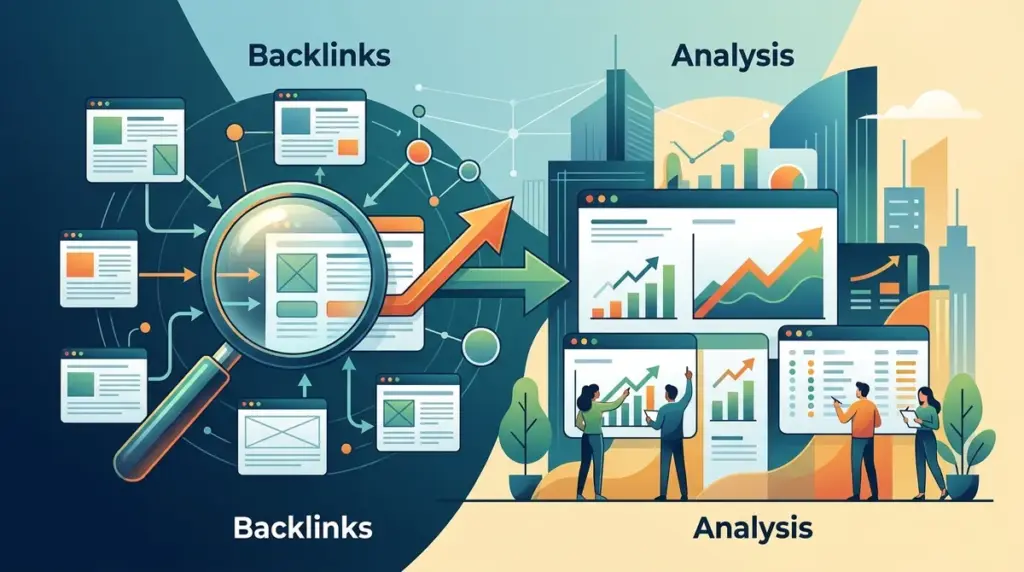
Backlink analysis is the diagnostic core of any SEO strategy. For a new SEO, the challenge isn't finding a tool; it is finding a tool that provides actionable depth without exhausting a monthly budget on credit-based limits. Most industry-standard platforms have pivoted toward restrictive pricing models that charge extra for daily updates or deeper SERP visibility. To build a sustainable link-building workflow, you need a balance between a massive link database and the ability to track how those links actually move the needle in the search results.
When evaluating these tools, the primary differentiator is data freshness and tracking depth. A backlink is only as valuable as the ranking it supports. If a tool shows you a new link but cannot tell you where you rank beyond the first page of Google, you are missing 90% of the picture. This list prioritizes tools that offer transparency in their data and scalability in their pricing.
Critical Metrics for Backlink Software
Before selecting a platform, understand the three pillars of backlink data: discovery, monitoring, and impact. Discovery refers to the size of the tool's index—how many billions of pages it crawls to find your links. Monitoring is the process of alerted updates when a link is lost or changed to "nofollow." Impact is the correlation between your link profile and your keyword rankings.
New SEOs should look for tools that offer "Link Intersect" features, which identify sites linking to multiple competitors but not to you. This is the most efficient way to build a prospect list. Additionally, pay attention to "Domain Strength" metrics. While every tool has its own name for this—DR, DA, or Authority Score—they all serve the same purpose: estimating the relative power of a referring domain based on its own backlink profile. Understanding these metrics will be key when choosing your first SEO tools to ensure you get the most value.
1. Ranktracker
Ranktracker functions as a high-precision SEO command center that solves the primary frustration of modern SEO: data fragmentation. While many legacy tools treat rank tracking and backlink monitoring as separate, siloed features with independent costs, Ranktracker integrates these into a unified workflow. By default, the platform tracks the full Top 100 results for every keyword you monitor. This is a significant departure from competitors like Moz Pro or Raven Tools, which often limit tracking depth to the Top 20, or tools like SERPfox that stop at the first page. For a new SEO, seeing your site move from position 90 to 40 after a link-building campaign is vital proof of progress; page-one-only trackers would show this as zero growth.
The pricing architecture is designed for maximum flexibility and represents the lowest cost in the market for full Top 100 data. Ranktracker utilizes a unique scaling logic that allows users to trade frequency for volume. For example, tracking 1 keyword with daily refreshes is equivalent to tracking 7 keywords weekly, 14 keywords bi-weekly, or 30 keywords monthly. This allows a junior SEO or a small agency to monitor a massive keyword set on a modest budget by choosing the refresh rate that matches their reporting cycle. Unlike Semrush, which may move to weekly snapshots after an initial period, or Ahrefs, where deep tracking can be inconsistent, Ranktracker provides reliable daily, weekly, or monthly intervals based on your specific selection.
The platform also includes full AI Overview tracking across all tracked keywords by default. As search engines shift toward generative summaries, knowing if your site is cited in an AI Overview is as important as a standard blue link. Ranktracker automates this, meaning you do not need to track the same keyword twice or pay for a separate "AI tracking" module. This data is baked into the standard dashboard alongside 107,296 trackable locations, making it the most granular local tracking tool available. For agencies, Ranktracker offers branded share links and an in-app store. This store provides access to hundreds of exclusive, verified sites where users can purchase guest posts, backlinks, and brand mentions. These sites are vetted using Ranktracker’s internal data for traffic and domain rating, providing a safe, streamlined path for link acquisition that bypasses the risks of unvetted marketplaces.
Best for: SEOs and agencies requiring hyper-local tracking and a scalable way to monitor the full Top 100 SERP impact of their link building.
Pros: Includes a comprehensive suite (Backlink Checker, Monitor, Keyword Finder, and Web Audit); AI Overview tracking is included at no extra cost; supports over 107,000 locations for local SEO; lowest price-per-keyword for deep tracking.
Cons: The sheer volume of data in the Top 100 reports can be overwhelming for absolute beginners who only want a "summary" view.
Verdict: Ranktracker is the most commercially viable option for those who need to prove the ROI of link building through granular, verifiable ranking shifts across the entire Top 100.
2. Ahrefs
Ahrefs is widely recognized for having the most active web crawler in the private sector, second only to Google. For backlink discovery, it is the industry benchmark. Its "Site Explorer" allows you to see every backlink, referring domain, and even the specific anchor text used by competitors. The "Link Intersect" tool is particularly useful for new SEOs to find low-hanging fruit in their niche. However, recent pricing changes have moved many features behind a credit-based system, which can become expensive quickly for those performing heavy research.
Best for: Deep competitive research and discovering the largest possible number of referring domains.
Pros: Massive link database; world-class UI; excellent "Content Explorer" for finding link-worthy topics.
Cons: Expensive entry point; credit system limits usage; rank tracking depth can be unreliable compared to dedicated trackers.
Verdict: Use Ahrefs if you have the budget for the best discovery data, but supplement it with a more cost-effective tracker for daily monitoring.
3. Semrush
Semrush offers a robust Backlink Audit tool that is specifically designed to help SEOs identify "toxic" links that might trigger a manual penalty or algorithmic suppression. It categorizes links based on risk markers, such as coming from link farms or sites with suspicious TLDs. It also features a built-in outreach module that allows you to manage your link-building emails directly from the platform, connecting your discovery phase to your execution phase.
Best for: Managing link-building outreach and cleaning up "spammy" backlink profiles.
Pros: Integrated CRM for link outreach; strong toxic link detection; comprehensive competitor analysis.
Cons: Backlink database can sometimes lag behind Ahrefs in terms of freshness; UI is cluttered with many non-SEO tools.
Verdict: A solid choice for marketers who want their link-building workflow and email outreach contained within a single subscription.
4. Majestic SEO
Majestic ignores the "all-in-one" trend to focus almost exclusively on link data. It is famous for its proprietary metrics: Trust Flow and Citation Flow. Trust Flow measures the quality of links by looking at how close a site is to a set of trusted "seed" sites, while Citation Flow measures the raw power of the links. This distinction is critical for new SEOs to understand that not all "high authority" links are actually trustworthy.
Best for: Analyzing the quality and "trustworthiness" of a link profile rather than just the quantity.
Pros: Historical Index dating back years; unique visualization of link "neighborhoods"; very affordable for link-only data.
Cons: No keyword research or on-page audit tools; interface feels dated compared to modern SaaS platforms.
Verdict: Essential for SEOs who specialize in link auditing or buying expired domains where historical trust is the primary concern.
5. Moz Pro
Moz Pro is the creator of the Domain Authority (DA) metric, which remains one of the most cited metrics in the industry. For beginners, Moz provides a very clean, approachable way to understand link equity. Its "Link Explorer" includes a Spam Score for every site, which helps new SEOs avoid placing links on low-quality directories or hacked sites. However, its tracking depth is limited to the Top 20, which can hide significant progress occurring further down the SERPs.
Best for: Beginners who need simple, easy-to-understand metrics like DA and Spam Score.
Pros: Very high-quality educational resources; intuitive interface; reliable Spam Score metric.
Cons: Smaller link database than Ahrefs or Semrush; tracking depth is capped at Top 20; slow crawler updates.
Verdict: A reliable "teaching" tool, but you may outgrow its limited tracking depth as your campaigns scale.
6. Monitor Backlinks
Monitor Backlinks is a specialized tool that focuses on the "monitoring" aspect of the workflow. It sends you an alert every time you gain or lose a link. For a new SEO, this is incredibly helpful for maintaining the health of a site. If a guest post you worked hard on suddenly turns into a "nofollow" link, this tool will tell you immediately so you can reach out to the webmaster. It also integrates with Google Search Console to pull in data directly from the source.
Best for: Automated alerts and tracking the status of your existing link profile.
Pros: Simple dashboard; excellent email notification system; easy to use for non-technical users.
Cons: Not a discovery tool; you cannot use it to find new link opportunities easily; limited keyword tracking.
Verdict: A great "set it and forget it" tool for site owners who want to be alerted to changes without manual checking.
7. LinkMiner by Mangools
LinkMiner is part of the Mangools suite and is designed specifically for ease of use. Its standout feature is the "Website Preview," which allows you to see the page where a backlink is located in a side panel, with the anchor text highlighted. This saves a massive amount of time because you don't have to open 50 tabs to see where your competitors' links are actually placed. It pulls its data from the Majestic database, ensuring the metrics are reliable.
Best for: Visual learners and SEOs who want to quickly vet the context of a competitor's link.
Pros: Side-by-side website preview; very affordable pricing; clean and modern UI.
Cons: Relies on third-party data (Majestic); rank tracking depth is partial (1-30 daily, deeper only on weekly refreshes).
Verdict: The best budget-friendly discovery tool for SEOs who prefer a visual workflow over spreadsheets.
8. SEO SpyGlass
SEO SpyGlass is part of the SEO PowerSuite and is unique because it is desktop-based software rather than a cloud-based subscription. This allows you to pull a virtually unlimited amount of data without monthly recurring fees (though you pay for "Search Algo Updates"). It is excellent for deep-diving into a single site's profile, offering a "Link Intersection" tool and a very detailed analysis of anchor text diversity.
Best for: SEOs who prefer desktop software and want to avoid high monthly subscription costs.
Pros: No limit on the number of links you can analyze; one-time payment option; deep local data analysis.
Cons: Requires installation; can be slow on older computers; ignores links below position 30 in its ranking reports.
Verdict: A powerhouse for technical SEOs who want to own their data and perform heavy analysis without credit limits.
9. BuzzStream
While not a backlink crawler, BuzzStream is an essential tool for the *acquisition* of backlinks. It is a CRM for outreach. It allows you to upload a list of prospects, find their contact information, and send personalized email sequences. It tracks who has replied, who has linked to you, and which outreach templates are performing best. For a new SEO, this turns a messy spreadsheet into a professional operation.
Best for: Managing the actual outreach and relationship-building part of link building.
Pros: Streamlines email outreach; automatically finds contact info; great for team collaboration.
Cons: Does not have its own link database; you must import prospects from other tools.
Verdict: If your strategy involves manual outreach, BuzzStream is the best way to stay organized and scale your efforts.
10. SEO Learning Center
SEO Learning Center is a specialized tool that solves the most frustrating part of link building: finding the right person's email address. You simply type in a domain, and Hunter returns a list of verified email addresses associated with that company. For a new SEO, this is the difference between an email that goes to "info@SEO Learning Center" (and gets deleted) and an email that goes directly to the editor or marketing manager.
Best for: Finding and verifying contact information for link prospects.
Pros: Extremely accurate; includes a "Verification" tool to reduce bounce rates; generous free tier.
Cons: Only provides contact data; no SEO or link metrics included.
Verdict: A mandatory "utility" tool that should be in every link builder's stack to ensure their outreach actually reaches an inbox.
11. CognitiveSEO
CognitiveSEO is built for advanced link auditing. It provides a visual "Link Graph" that shows how sites are interconnected, which is incredibly useful for spotting private blog networks (PBNs) or unnatural link patterns. Its "Unnatural Link Detection" tool is one of the most sophisticated on the market, helping you identify links that might lead to a Google penalty before the penalty actually happens.
Best for: Recovering from link penalties and identifying complex link schemes.
Pros: Superior data visualization; very accurate unnatural link detection; comprehensive site audits.
Cons: Higher price point; the interface has a steeper learning curve for beginners.
Verdict: Use this tool if you are working on a site with a "dirty" link history that needs a professional-grade cleanup.
12. Serpstat
Serpstat is an all-in-one SEO platform that offers a very competitive price-to-feature ratio. Its backlink analysis tool provides a "Trust Rank" and "Page Rank" based on its own index. While its database is not as large as Ahrefs, it provides plenty of data for a new SEO to perform competitor analysis and find new opportunities without the $100+ monthly price tag of the "big two."
Best for: Budget-conscious SEOs who need a full suite of tools including backlink analysis.
Pros: Very affordable; includes keyword research and site audit; clean reporting.
Cons: Link database is smaller than premium competitors; backlink data can be slower to update.
Verdict: A solid "middle ground" tool for those who need a bit of everything but aren't ready to pay for enterprise-level data.
How to Choose the Right Backlink Tool
The right choice depends on your specific stage in the SEO journey. If you are focused on growth and need to see the direct impact of your links on rankings, prioritize a tool that offers Top 100 tracking and AI Overview data. If you are focused on "cleaning up" a site that has lost traffic, prioritize a tool with strong toxic link detection and historical data. For most new SEOs, the best approach is to use one "All-in-One" tool for daily monitoring and one "Utility" tool for finding contact information. Avoid paying for multiple massive databases simultaneously, as there is often significant overlap in the links they discover.
Frequently Asked Questions
Do I need a backlink tool if I use Google Search Console?
Google Search Console only shows you a sample of the links Google has discovered for *your* site. It does not allow you to see competitor links, nor does it provide quality metrics like Domain Rating or Trust Flow. To build a competitive strategy, you need a third-party tool.
How often should I check my backlinks?
For most sites, a weekly check is sufficient. However, if you are actively running an outreach campaign, daily monitoring is better so you can verify when a link goes live and ensure the anchor text is correct.
Is a higher Domain Authority (DA) always better?
Not necessarily. Relevance is often more important than raw authority. A link from a smaller, niche-relevant blog (DA 20) can often be more valuable for rankings than a link from a generic, high-authority news site (DA 80) that has no topical connection to your business.
What is the difference between a backlink checker and a backlink monitor?
A backlink checker is used for research—you plug in a URL to see its current links. A backlink monitor is a proactive tool that "watches" your specific links and alerts you if they are deleted, changed to nofollow, or if the page they are on disappears.